Forget AI Tools. Master These 7 AI Concepts Instead
Tool debates burn out fast. The mental models underneath don't — the concepts that separate designers who work well with AI from those who just use it.

Half of design Twitter is arguing about which model is best this month. The other half is stitching together a new AI plugin for Figma. It's a fun argument, and it's mostly beside the point.
Models get swapped out every few months. The skill of working well alongside one doesn't. After a year of running AI through actual design work, not demos, actual shipped decisions, a handful of mental models kept paying off no matter which tool sat behind them. Here are the seven worth building on purpose.
Why concepts outlast tools
A tool teaches you its own interface. A concept teaches you something that transfers the moment that interface disappears, gets acquired, or gets replaced by whatever ships next quarter.
That distinction matters more in AI-assisted design work than almost anywhere else, because the tooling layer is changing faster than most teams can standardize on it. The designers who keep getting good results aren't the ones who found the "right" tool. They're the ones who understand why a given interaction with AI worked, well enough to reproduce it with a different tool next month.
The seven concepts below aren't an exhaustive list of everything worth knowing about AI. They're the ones that kept showing up, across different tools and different projects, as the actual difference between a good outcome and a mediocre one.
| Concept | Old habit | New mental model |
|---|---|---|
| Context Engineering | Type a sentence into a blank box | Build the surrounding context like a deliverable |
| Prompt UX | Write one message and hope | Design the whole exchange, turn by turn |
| Agentic Workflows | Approve every single step | Set boundaries, then let it run |
| Human-in-the-Loop | Trust the output because it sounds confident | Keep judgment in the loop, on purpose |
| Intent-Driven UX | Answer the literal request | Design for the goal underneath it |
| AI Design Critique | Use AI only to generate | Use AI to argue back |
| Systems Thinking | Judge the screen | Judge what the screen touches |
Treat this table as the fifteen-second version. The sections below are the one worth actually reading.
1. Context engineering: build the input like a deliverable
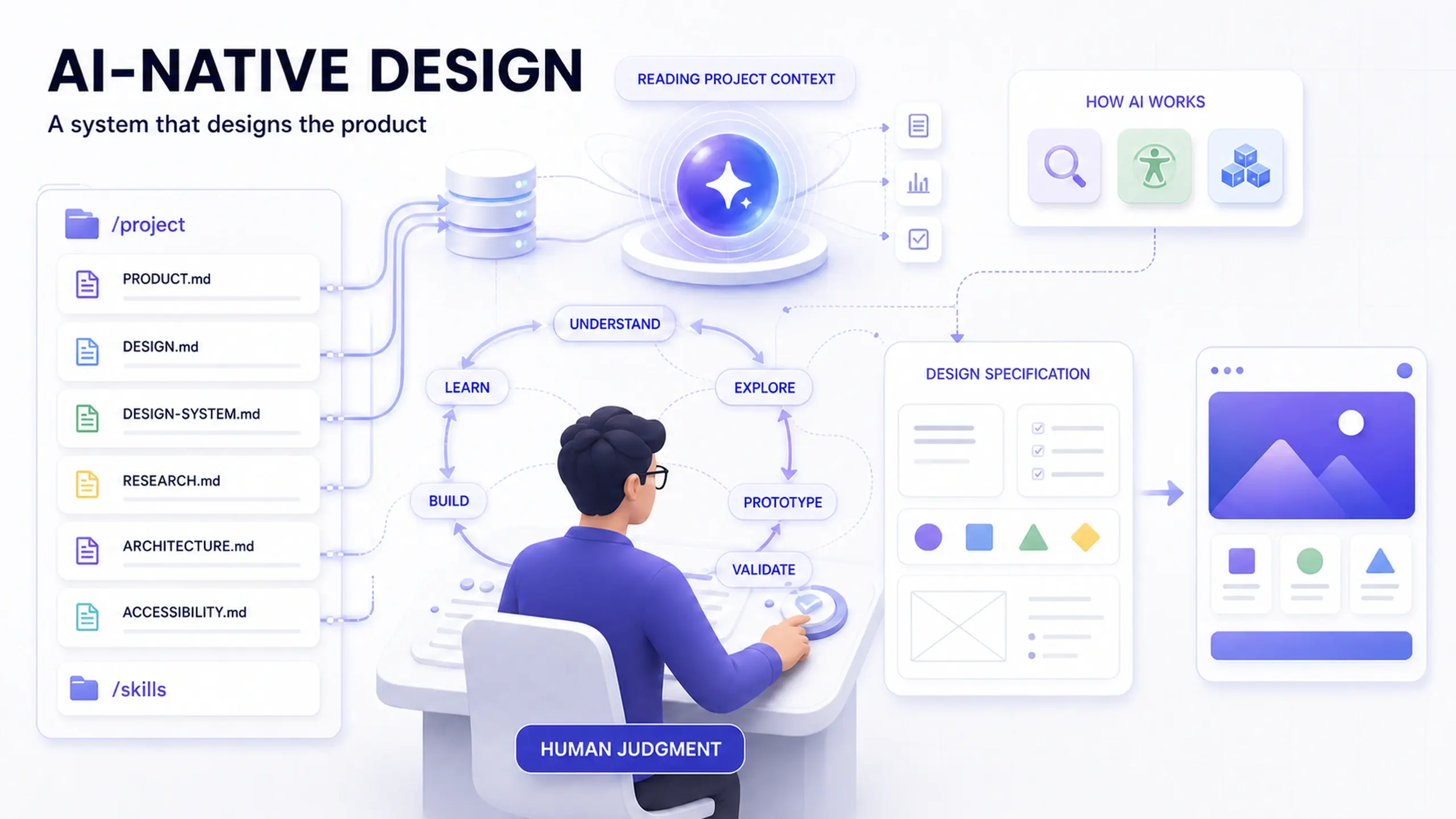
Output quality tracks input quality, and the input that matters most isn't the instruction. It's the surrounding context.
Two designers can type the identical prompt and land on wildly different results. One fed the model constraints, prior decisions, and the shape of the system it's working inside. The other typed a sentence into a blank box and hoped. The gap between those two outcomes isn't luck. It's preparation.
Treat context like a deliverable, not an afterthought. Build it the way you'd build a brief: what's already been decided, what constraints already exist, what the system already looks like. Anthropic's own engineering team frames this directly: the skill isn't writing a clever instruction, it's curating the smallest set of high-signal information that gets the model to a good answer, and doing it deliberately rather than by accident.
The prompt is the least important part of a good AI-assisted decision. The context around it is doing most of the work.
In practice: if your team already writes down design decisions somewhere durable (a CLAUDE.md file, a shared decisions log, a design system's own documentation), that same material is exactly what a coding agent or design tool needs to generate in line with your direction instead of guessing at it fresh every session.
2. Prompt UX: design the exchange, not the message
A prompt isn't a command. It's the opening move in a conversation you're responsible for shaping.
Treating a prompt like a vending-machine input, insert instruction, receive output, is where most disappointing AI results actually start. Anthropic's own prompt engineering documentation is explicit that getting a good result is iterative: you clarify, provide examples, and correct course, the same way you would with any new collaborator who hasn't yet learned how you think.
Approach it the way you'd brief a new hire on their first week:
- What do they need up front? Constraints, prior decisions, the shape of the problem.
- Where should they push back? Ambiguity worth flagging instead of guessing past.
- Where are they likely to guess wrong? The places your instinct says "obviously," which are rarely obvious to something that wasn't in the room for the last six months of context.
Design that exchange instead of expecting a single message to do all the work. A single-shot prompt is a bet that you got everything right on the first try. Most of the time you didn't, and that's fine, as long as the interaction is built to let you correct it.
3. Agentic workflows: set the boundaries, not every step
AI has moved past answering. It can now plan a task, work through the steps, and see it to the end without a prompt for every move.
That shift changes what a designer actually configures. IBM's overview of agentic workflows describes the core distinction well: instead of a single request and response, an agent plans a sequence of actions toward a goal and adapts as it goes. Instead of shaping one output, you're shaping the boundaries of a process:
- What the system can decide alone.
- Where it has to stop and check in.
- What "finished" is allowed to mean before it hands the result back.
Common mistake: treating an agentic workflow like a longer version of a single prompt, then being surprised when it drifts three steps past where you would have stopped it. The fix isn't tighter wording. It's an explicit stopping condition, stated before the agent starts, not discovered after it's gone too far.
4. Human-in-the-loop: judgment is the part that doesn't scale
Generation is cheap now. Judgment isn't.
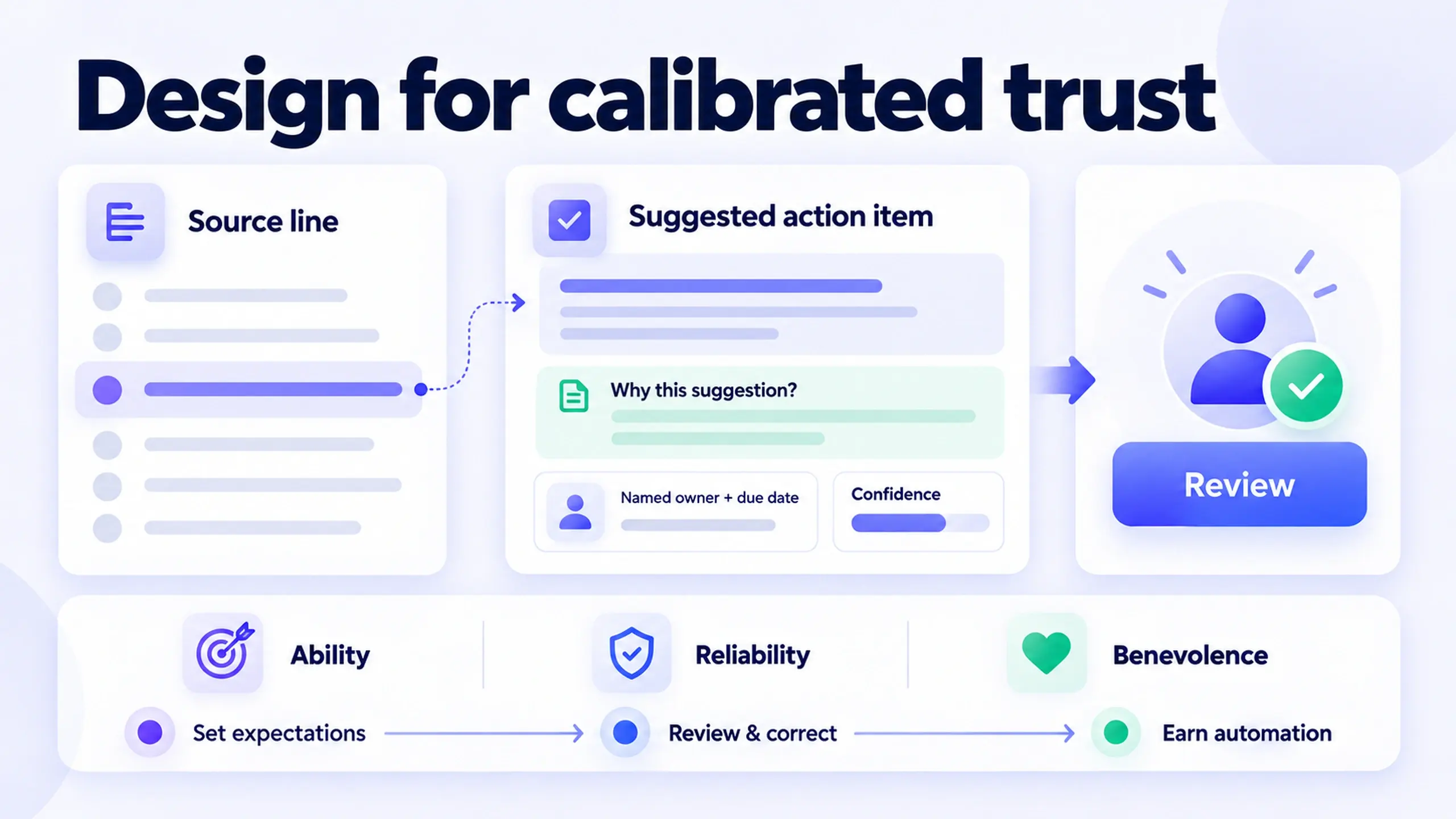
Keeping a human in the loop isn't just damage control for AI being wrong. It's an admission that deciding what actually serves the user, and the business, still takes a person who understands both. This isn't a fringe caution: it's the same principle behind the human-oversight function in NIST's AI Risk Management Framework, which treats meaningful human oversight as a core requirement for trustworthy AI systems, not an optional add-on for edge cases.
AI hands you more options. Someone still has to choose, and that choosing is still the job.The failure mode worth watching for isn't an AI that's obviously wrong. It's an AI that's confidently, plausibly wrong in a way a distracted reviewer waves through. Keeping a human meaningfully in the loop means giving that person enough context and enough time to actually catch it, not just a rubber-stamp step between generation and shipping.
5. Intent-driven UX: answer the goal, not the words
The words in a prompt are rarely the whole story. There's a goal sitting underneath them that the words only half capture.
Someone asking to "make this button bigger" is usually really saying "I couldn't find this." That gap between the literal request and the actual goal is exactly what Clayton Christensen's jobs-to-be-done framework was built to describe: people don't want a product or a feature, they want progress on a specific problem, and the words they use to ask for it are an imperfect translation of that problem.
Good researchers already bring this instinct to user interviews. It just needs to carry over into how you work with AI:
- Notice the literal request. Bigger button, different copy, another screen.
- Ask what problem that request is standing in for. Usually visibility, findability, or trust, rarely size.
- Design for the underlying problem, and treat the literal request as one possible fix rather than the only one.
Skip step two, and you'll ship a technically correct answer to a question nobody actually needed answered.
6. AI design critique: use it to argue, not just to generate
The most useful thing AI has done for a design practice isn't generating screens. It's arguing with them.
Hand a flow to a model and ask what breaks it. Ask it to attack your assumptions. Ask what a skeptical user, or a compliance reviewer, would flag before it ships. This is the same instinct behind adversarial red-teaming in AI security work, deliberately trying to break something before it goes live, aimed at a design decision instead of a model's guardrails.
Used this way, AI isn't a collaborator sketching alongside you. It's a critic that never runs out of energy to push back, which makes it useful for exactly the review pass that's easiest to skip on a Friday afternoon: the one where someone has to find the holes before a user does.
Limitation worth naming: a model arguing against your design is not the same as a real user failing to use it. Treat AI critique as a way to catch obvious holes before usability testing, not a replacement for it.
7. Systems thinking: judge what the screen touches
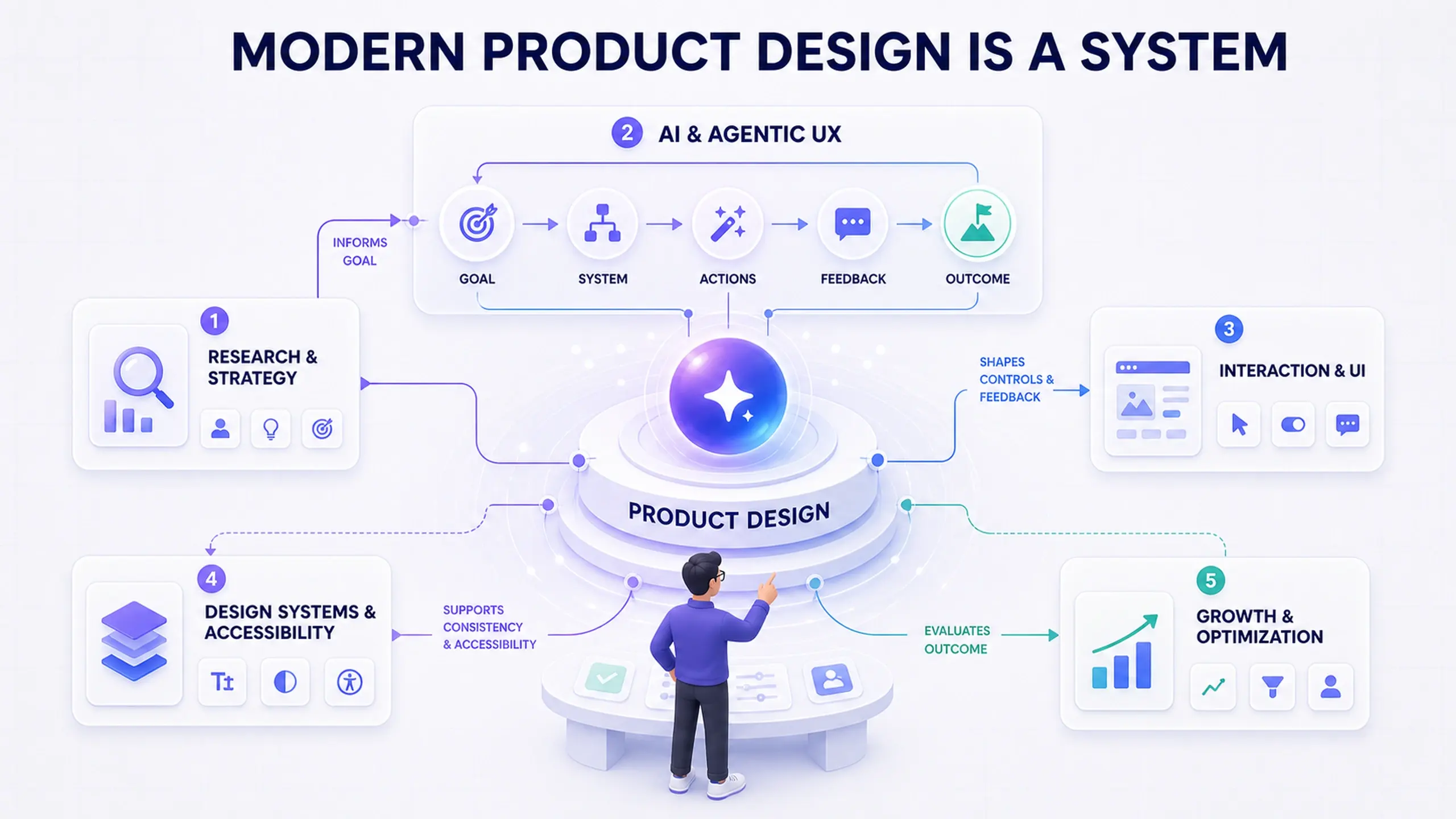
A screen is not a product. A product is the connective tissue between screens, decisions, and everything downstream of them.
AI has made it trivially fast to produce a screen. It hasn't made that screen belong to a coherent system. That part is still entirely a human job, tracing how one component or one decision ripples through everything else it connects to. Systems thinking, as Donella Meadows described it, is the practice of seeing a set of interconnected parts as a whole rather than judging each piece in isolation, and it's exactly the discipline that AI-generated speed doesn't come with by default.
A generated screen can look finished and still be wrong for the system: a component that doesn't match the token set, a flow that contradicts a decision made two features ago, a pattern that works in isolation but breaks the moment it meets real data from three other places. Fast output raises the cost of skipping this check. It doesn't lower the odds you can skip it safely.
Where these concepts run into limits
None of this is a substitute for design skill you haven't built yet.
- These concepts assume some baseline design judgment already exists. Context engineering and intent-driven UX both depend on already knowing what a good outcome looks like. AI can't hand you that judgment if you're still building it.
- Human-in-the-loop only works if the human has time to actually look. A review step that exists on paper but gets rubber-stamped in practice isn't oversight. It's a compliance checkbox wearing the language of oversight.
- AI design critique catches what it's told to look for. It won't reliably surface a problem nobody thought to ask about, which is exactly the kind of problem real usability testing is still built to find.
- Systems thinking takes longer to apply than any single AI interaction. It's the one concept here that doesn't get faster just because the tooling did.
Frequently asked questions
Do I need to learn all seven concepts before I get value from any of them?
Does mastering these concepts mean I don't need to learn specific AI tools?
Which of these concepts matters most for someone just starting to use AI in design work?
Is an "agentic workflow" just a rebrand of automation?
The tools will keep changing
Somewhere in the last year, AI stopped being a tool in the kit and started being something closer to a thinking partner.
The designers who come out ahead won't be the ones who've cycled through the most tools. They'll be the ones who've gotten better at asking sharper questions, feeding better context, and making the calls the tool can't make for them.
That part doesn't get automated.
Before you try this
- Pick one concept from this list you're weakest on, not the one that sounds most impressive
- Practice it on a real task this week, not a demo
- Notice which concept your team already has a habit for, and which one nobody's built yet
- Revisit this list next time you swap tools, and check which concepts still hold unchanged
This post was edited with AI assistance for clarity and formatting.

Sanjay Shrestha
Senior Product Designer · CUA™ Certified
15+ years designing enterprise SaaS, B2B, and government digital products. Currently at Decisions.
Keep Reading