The New Handoff: From AI-Generated UI to Production-Ready UI
AI shortened the path from idea to interface, but the design-to-dev handoff didn't disappear — it moved downstream, into code review.
If you've started generating interfaces with AI instead of building them screen by screen in Figma, you've probably felt this: the handoff between design and development didn't get simpler. It got relocated.
I've spent the past few months refining an AI-native workflow through real projects, some deliberate experimentation, and a lot of conversations with designers and developers working through the same shift. One thing has become clear: the collaboration hasn't gone away. It just shows up somewhere new.
How the handoff used to work
Before AI-assisted tools, designers worked in Figma and developers worked in the codebase, two separate mediums that had to be kept in sync by hand. The hardest part of the process was never creating the interface. It was making sure the Figma file and the shipped product stayed aligned as the work moved between them.
Every screen had to survive a translation from one medium into another. Spacing got approximated. Interaction details got dropped. Something almost always got lost in the handoff.
What AI actually changed
AI dramatically shortens the path from an idea to a working interface, and that's a real, measurable change in how design work gets validated. As designers, we can now check things earlier, in a running interface instead of a static file:
- Visual fidelity: does it actually look like the design?
- Interaction: does it feel right to use, not just look right on a canvas?
- Responsive behavior: does it hold up across breakpoints, not just the one frame you designed?
- Real user experience: a working interface, not a mockup standing in for one
That alone has changed how I work day to day. The gap between "here's the design" and "here's something you can actually click through" has nearly closed.
The handoff didn't disappear. It moved.
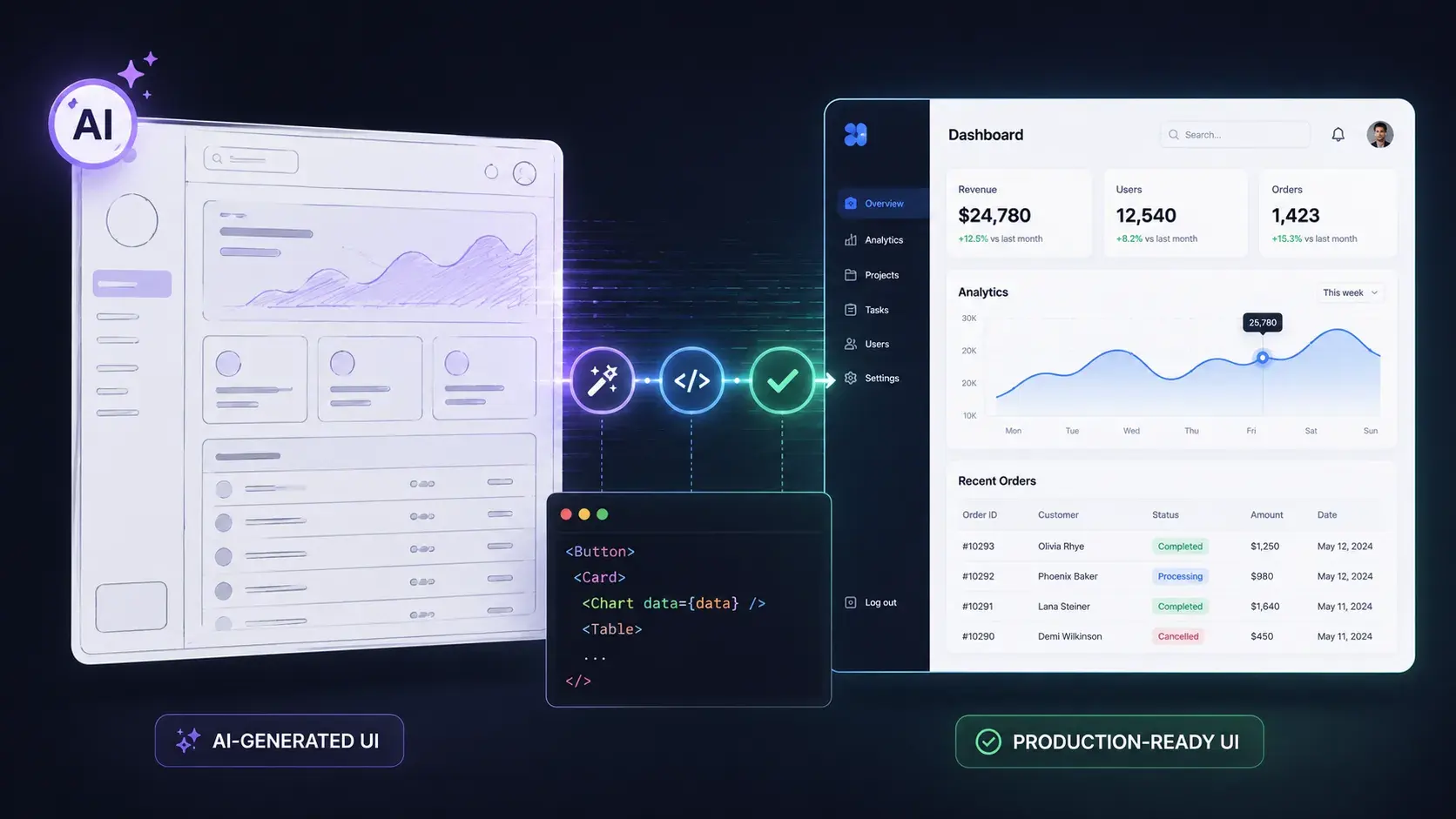
Here's the part that's easy to miss if you're excited about how fast AI-generated UI has gotten: the biggest transition in the process used to happen between Figma and code. Now, it happens between AI-generated UI and production-ready UI.
The browser answers one question: does this experience feel right? Production asks another: is this ready to become part of a real product?
Those aren't the same question, and no amount of generation speed collapses the second one into the first. An AI tool can produce a screen that looks correct and behaves believably in a demo. Whether that screen holds up under real data, real edge cases, accessibility requirements, and the rest of an existing codebase is a separate problem entirely.
| AI-generated UI (the browser) | Production-ready UI (the codebase) | |
|---|---|---|
| Question it answers | Does this feel right to use? | Is this safe to ship? |
| What it's tested against | A demo, a happy path | Real data, edge cases, existing code |
| Who signs off | Whoever's looking at the screen | Reviewers, through a pull request |
That's where collaboration still matters, just later in the process than it used to be:
- Pull requests: a running record of what's actually changing in the codebase
- Feedback: from designers and developers, on the same generated output
- Code review: checked against what actually improves code health, not just whether it works
- Iteration: because the first AI-generated pass is rarely the last one
The work doesn't go away. It shows up later, closer to production, where the stakes are higher and there's less room for guessing.
Why this matters for how you work
AI isn't replacing collaboration between designers and developers. It's changing where that collaboration happens. If you're still treating the handoff as a Figma-to-code problem, you're solving for the gap AI already closed, while missing the one that opened up behind it.
Key takeaway: the fastest way to waste the speed AI gives you is to spend it all upfront, on generation, and none of it downstream, on review. The teams getting the most out of AI-generated UI aren't the ones prototyping fastest. They're the ones who moved their review discipline to match.
A couple of questions I keep getting
Does this mean design and development need to collaborate less? No, the opposite. It means the collaboration is concentrated later in the process, at the point where a generated interface becomes a real, shippable change. Skipping that step because the AI output "looked done" is exactly how quality issues make it to production.
What should change in how a team works, practically? Treat AI-generated screens the way you'd treat a first draft, not a final one. Route them through the same review and feedback loop you'd use for any other code change, and expect it to matter more than the Figma-to-code process it's replacing, not less.
Where do you see the biggest transition happening?
I don't think this is a settled question yet, and I'd genuinely like to know how it looks from where you sit. Where do you think the biggest transition happens in today's AI-native workflow?
This post was edited with AI assistance for clarity and formatting.

Sanjay Shrestha
Senior Product Designer · CUA™ Certified
15+ years designing enterprise SaaS, B2B, and government digital products. Currently at Decisions.
Keep Reading