Where AI Actually Fits in the Product Design Process
A phase-by-phase look at where AI genuinely speeds up product design inside the Double Diamond, and where human judgment still has to lead.
Most "AI in design" advice is a tool list: forty logos, no map. That's not that useful if you already have a design process and just want to know where AI genuinely earns a place in it.
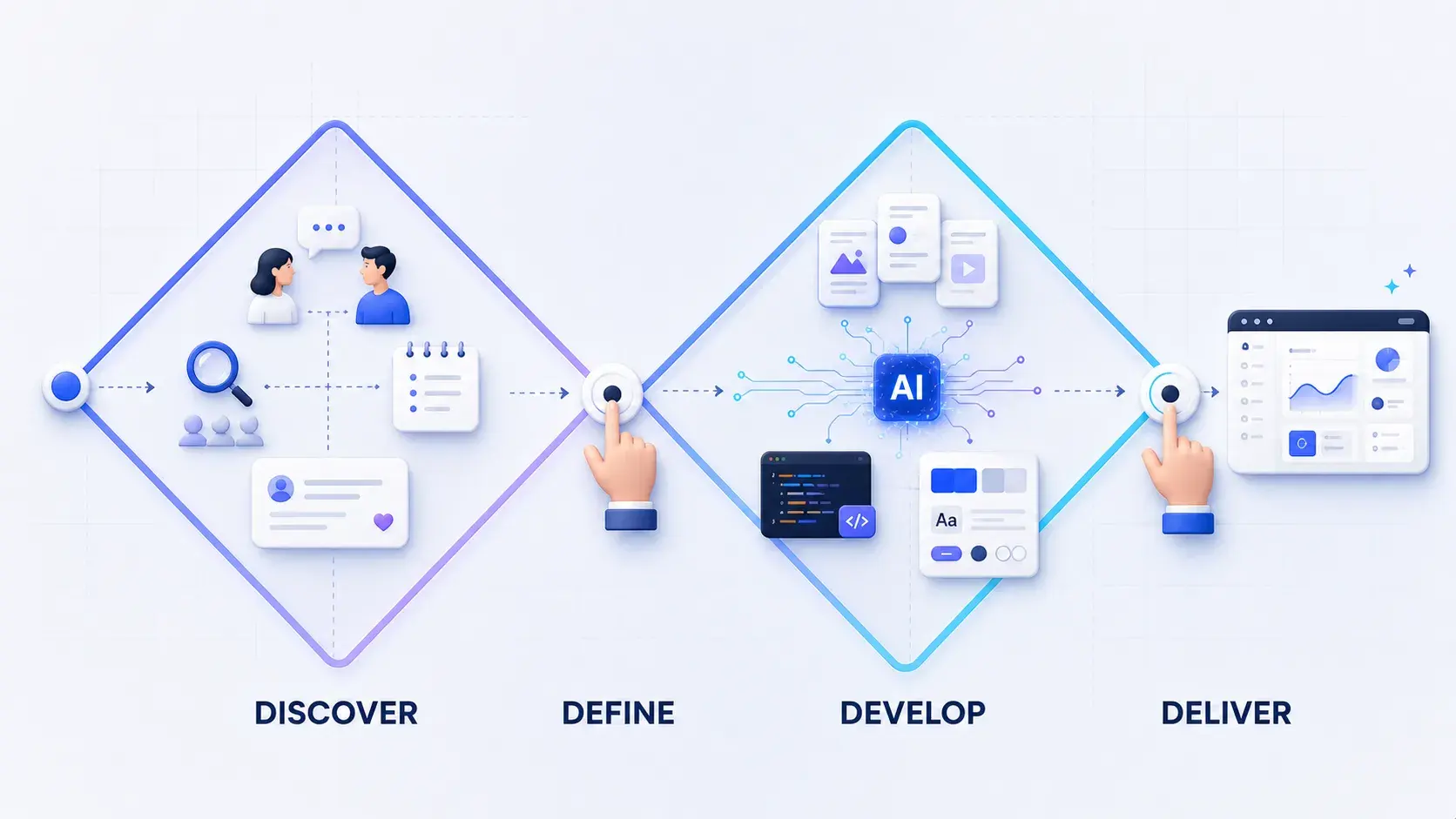
This article uses the Double Diamond, one of the most widely referenced product design frameworks, as that map. Double Diamond splits the work into four phases, Discover, Define, Develop, and Deliver, each one either opening up options or narrowing them down. If you already run some version of this process (most teams do, even without the name), the useful question isn't "should I use AI in design?" It's which moment in the process it actually shortens, and which moments it just adds noise to.
What the Double Diamond actually structures
The Double Diamond comes from the Design Council, which introduced it in 2004 and revised it in 2019 to emphasize that real design work loops and overlaps rather than marching cleanly left to right. The four phases:
- Discover: research broadly before you commit to a problem.
- Define: converge that research into a specific brief, question, or strategy.
- Develop: diverge again into ideas, hypotheses, and prototypes.
- Deliver: converge on what actually ships.
Each diamond has a diverging half (explore more than you need) and a converging half (cut it down to what matters). That rhythm, open wide, then narrow, is the part worth keeping in mind as AI tools get layered in, because most of the AI techniques worth adopting right now cluster in the second diamond: Develop and Deliver. That's not a universal law about AI and design; it's simply where the current generation of design-focused AI tooling, coding agents in particular, has matured enough to be useful without babysitting. Discover and Define still run mostly on the same primary research, synthesis, and judgment they always have.
Where AI tooling currently concentrates: ideating, prototyping, and delivery
Three areas show up repeatedly in how design-engineer-minded teams are folding AI into Develop and Deliver: ideating, prototyping, and development handoff. None of them replace the phase; they change what happens inside it.
| Area | Double Diamond phase | What changes with AI tooling |
|---|---|---|
| Ideating | Develop (diverging) | Pattern research and concept generation move faster; the hard part, judgment, doesn't |
| Prototyping | Develop (converging) | Prototypes run against real model behavior and real code, not just static mockups |
| Development handoff | Deliver | The handoff artifact shifts from a Figma file to a running build |
1. Ideating: use AI to widen the search, not to pick the answer
In the diverging half of Develop, the job is to generate more raw material than you'll use. A few things AI genuinely helps with here:
- Mapping use cases against AI feasibility. If you're designing a feature that could plausibly use a language model, it's worth sorting your use cases by which ones an AI feature could actually fulfill versus which ones just sound good with "AI" attached to them. That sorting is a design decision, not a technical one, and it's easy to skip.
- Pattern hunting at scale. Tools like Mobbin's MCP server let a coding agent pull real, screenshotted UI patterns from thousands of shipped apps directly into its working context, instead of you tab-hopping between fifteen browser windows. The useful skill isn't collecting patterns; it's noticing where a pattern breaks for your specific case. A pattern that works in a photo-sharing app can fail badly in a compliance-heavy B2B tool, and no amount of pattern volume tells you that on its own.
- Finding the load-bearing idea. Of everything you generate, one question does more work than the rest: which use case, shown first, makes every other one obvious? AI can help you produce more candidate ideas. It can't tell you which one is load-bearing. That's still a judgment call, and arguably the one that matters most in this phase.
Generating more ideas isn't the bottleneck it used to be. Recognizing the one idea the rest of the product depends on still is.
2. Prototyping: test against real behavior, not a static mockup
Once you've converged on a direction, the prototyping stage inside Develop looks different when the product itself has AI in it, or when you're building the prototype with AI-assisted tooling.
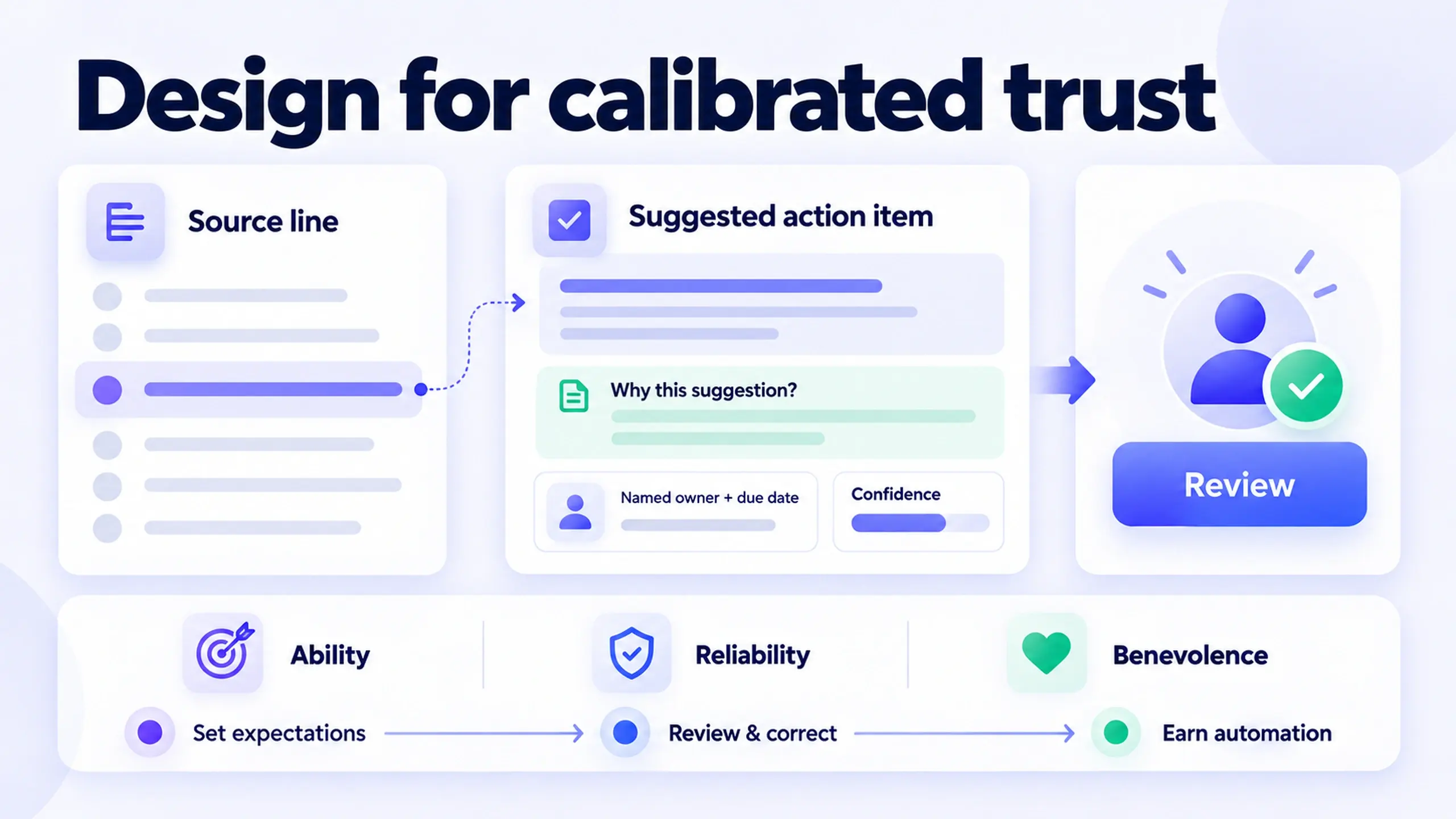
If you're designing an AI-powered feature, prototype it with a model actually running. A static mockup of a chat interface can't show you what happens when the model is slow, wrong, or produces an oddly-worded response. Those failure states are part of the design, not an engineering afterthought, so the prototype needs to surface them early rather than after launch. It's a constant on Decisions AI, the AI meeting platform I lead mobile design for.
If you're using a coding agent to build the prototype, connect it to your actual design tokens. Figma's Dev Mode MCP server exposes a file's structure, styles, and variables to a connected coding agent, so a generated component can pull from your real token set instead of guessing at spacing and color values from a screenshot. This is the same "start with tokens, not components" principle that shows up in design system work broadly (see What I Learned Building a Design System From Scratch): the tokens are the thing worth getting right first, whether a human or an agent is building on top of them.
Refine interaction and motion details in a running build, not inside a prototyping tool disconnected from real code. This is where purpose-built feedback tools come in: Agentation, for instance, works as a visual annotation layer that turns comments made directly on a running interface into structured context an AI coding agent can act on, closer to marking up a live page than writing a prompt from memory. Whether you reach for a tool like that, something narrower, or a small internal script, the point is the same: the feedback loop closes faster when you're pointing at the real thing instead of describing it.
In practice: none of this replaces usability testing. A model that behaves correctly and a design that reads clearly to a real user are two different bars, and AI-assisted prototyping speed doesn't automatically clear the second one.
3. Delivery: the handoff artifact stops being a Figma file
The most structural shift shows up in Deliver, and it depends heavily on how your team is set up.
Working with a team: design critique and review increasingly happen against a running build (localhost, a preview deploy) rather than a Figma file. Pull requests become a design-review surface, not just an engineering one. That's a real change in workflow, not just a new tool, because it means design feedback has to engage with actual states, actual data, and actual edge cases instead of the idealized version a static file tends to show.
Working solo, or as a design engineer: you can preview and refine directly in the browser and deploy with something like Netlify or Vercel, shipping without a separate handoff step at all. This is the fastest path, but it only works when one person can reasonably own both the design judgment and the implementation quality, which isn't every situation.
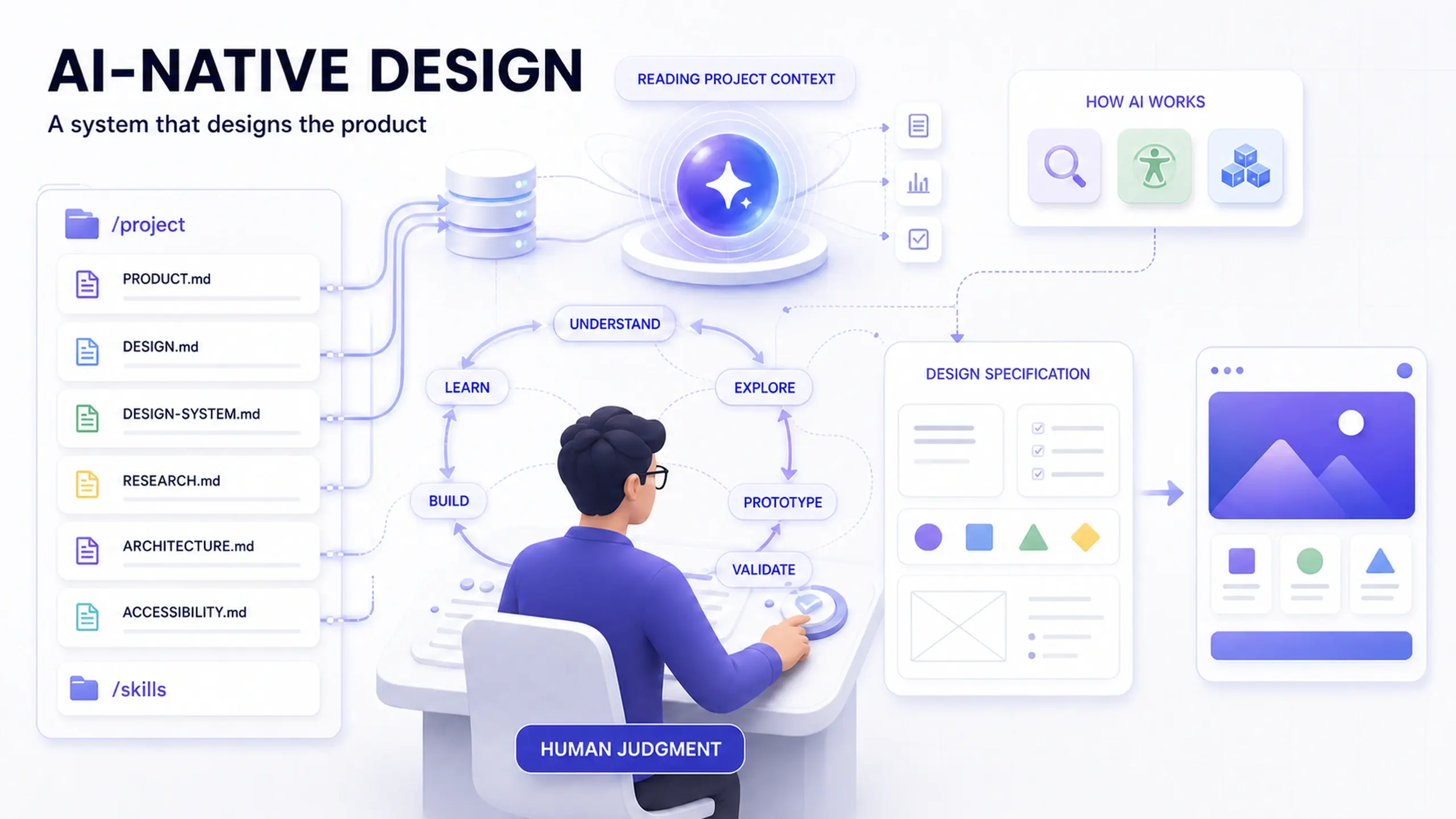
Either way, persist your decisions somewhere the agent will actually read them. A file like CLAUDE.md or a project-level SKILL.md, checked into the repo alongside the code, can hold the design rationale, constraints, and prior decisions so a coding agent generates in line with your direction across sessions instead of re-deriving (or contradicting) it every time. It's a small piece of process, but it's the same instinct behind writing down design system governance decisions before the first conflict, covered in that same design-system article: decisions that live only in someone's head don't survive a handoff, human or automated.
When this approach doesn't fit
A few honest limits, because none of this is universal:
- Regulated or high-stakes interfaces still need a slower loop. Healthcare, financial, and accessibility-critical flows benefit less from "ship from localhost" speed and more from structured review before anything reaches a user.
- The named tools here are a snapshot, not a standard. Mobbin's MCP server, Figma's Dev Mode MCP server, and agent-feedback tools like Agentation are specific products that can change pricing, scope, or disappear entirely. The durable part of this article is the mapping to Discover, Define, Develop, and Deliver; the tool names are the least stable part of it.
- Discover and Define don't get a shortcut here. Talking to real users, running primary research, and forming a defensible point of view are still mostly manual, judgment-heavy work. Treat any claim that AI "does your user research for you" with real skepticism.
- A design engineer workflow assumes design engineer skills. If your team's designers don't write or review code, the "solo, ship from localhost" path isn't realistic yet, and forcing it usually just moves the bottleneck rather than removing it.
Common questions about AI in the product design process
Does using AI tools mean I should drop a structured framework like Double Diamond? No. If anything, a framework matters more once AI speeds up parts of the process, because it's the thing that keeps you from mistaking "we generated more ideas faster" for "we made a better decision." The framework tells you what a given AI technique is actually for; without it, more output just means more noise to sort through.
Which phase benefits most from AI right now? Based on how design-engineer-oriented workflows are currently set up, Develop and Deliver see the most concrete, tool-supported change: ideation support, prototyping against real model behavior, and a handoff that runs through code instead of a static file. Discover and Define still run largely on traditional research and synthesis methods.
Do I need to know how to code to use any of this? Not for every part of it. Pattern-hunting tools and AI-assisted ideation don't require writing code. The prototyping-in-a-coding-agent and "ship from localhost" techniques do assume some comfort reading and adjusting code, which is part of why they're associated with the "design engineer" role specifically rather than product design broadly.
What if my team reviews designs in Figma and that's working fine? Then keep doing that. Nothing here argues that Figma-based review is broken; it argues that a running-build review surface is now a realistic alternative for teams building fast-moving, code-adjacent products, particularly ones with AI features where behavior matters as much as layout.
Start with one phase, not the whole process
The honest starting point isn't "adopt AI in your design process." It's picking one moment where the current tooling is genuinely mature, connecting your design tokens to a coding agent for a single prototype, trying a pattern-research tool for one round of ideation, or writing down your design rationale somewhere an agent can read it, and seeing whether it actually shortens the loop for your team. If it does, it earns a permanent place in the process. If it doesn't, the Double Diamond still holds up fine without it.
Before you trial this
- Confirm your team's design tokens are structured well enough for a coding agent to consume directly (a messy token set will produce messy generated code, AI or not)
- Pick one Develop-phase or Deliver-phase moment to trial an AI-assisted technique, rather than changing the whole workflow at once
- Decide where design rationale gets written down so it survives a handoff, agent-assisted or human
- Keep a real usability check in the loop for anything AI helped prototype faster
This post was edited with AI assistance for clarity and formatting.

Sanjay Shrestha
Senior Product Designer · CUA™ Certified
15+ years designing enterprise SaaS, B2B, and government digital products. Currently at Decisions.
Keep Reading