Scaling Product Design With AI and Just Enough Technical Skills
Too much to build, not enough dev bandwidth. Here's the five-part system — AI tools plus just enough technical skill — I use to close that gap myself.
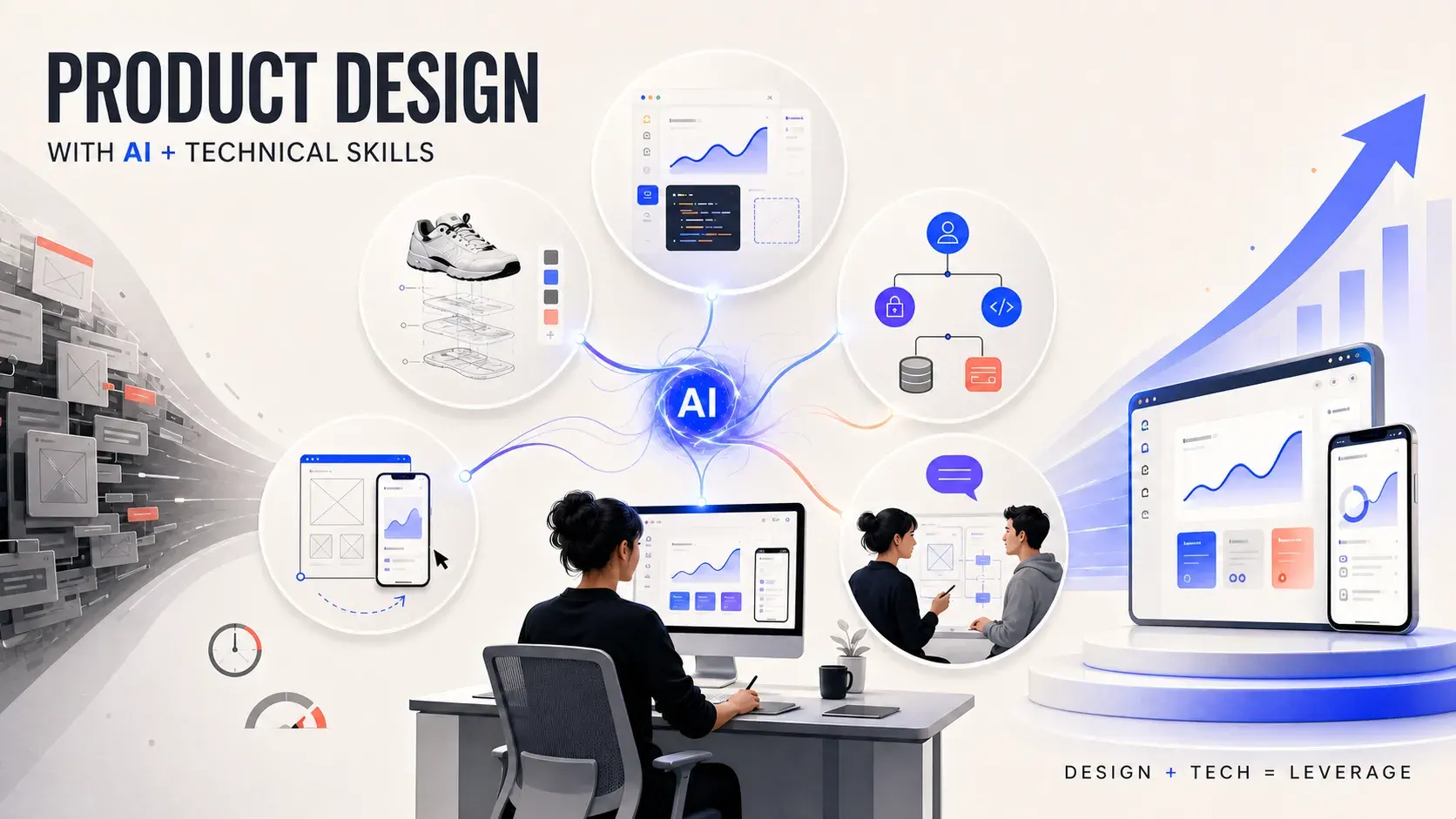
Every product designer eventually runs into the same wall: too much to build, too little dev bandwidth, and a business that needs to move faster than either can keep up with. I can't code everything, and I'm not trying to. What I've learned is that I don't need to become a developer to close that gap. I just need to understand the system well enough to guide it, and use AI to do the parts that used to cost me a dev cycle.
This isn't a pitch for designers to replace engineers. It's the system I actually use: five habits, a small stack of AI tools, and just enough technical skill that together let me move from idea to something real without waiting on a queue.
Why "just enough" technical skill changes what's possible
There's a real difference between understanding a system and building it to production standard. I'm not writing the code that ships. I'm not the one accountable for performance under load, security review, or the edge cases that only show up at scale. That's still engineering work, and it should stay that way.
What changes is everything upstream of that: the drafts, the prototypes, the "does this idea even hold up" questions that used to sit in a backlog for a sprint or two before anyone could tell me. AI plus a working knowledge of HTML, CSS, basic React, APIs, and Git doesn't make me a developer. It makes me someone who can have the conversation and produce a real first pass, instead of a static mockup and a hope.
Here's what that actually looks like in practice.
1. Reverse engineer before you design from a blank page
Before I design anything new, I use AI to analyze products that already work and pull out the patterns underneath them: UI structure, API shapes, data models, the logic that isn't visible on the screen.
"Here's the structure I found: UI patterns, API endpoints, data models…"
Instead of guessing at how a feature should be built, I ask AI to show me how something similar already is, then design from something real instead of a blank page. This matters more than it sounds: a blank page invites you to reinvent structure that's already been solved, and most of that reinvention is where avoidable rework starts.
Where this breaks down: reverse engineering shows you a pattern, not whether that pattern fits your constraints. A structure that works for a consumer app can fail badly in a compliance-heavy B2B product. Treat what AI surfaces as a starting hypothesis, not a verified answer.
2. Rebuild features fast enough to skip the throwaway mockup
When I need to move fast, I use AI coding tools to generate UI, code, and logic drafts directly, buttons, cards, titles, the full markup, instead of waiting on a full dev cycle just to see whether an idea holds together.
This changes what a "first pass" actually is:
- Faster iteration on ideas. I can test three directions in the time it used to take to get one reviewed.
- Fewer dev cycles spent on throwaway drafts. Engineers aren't burning sprint time building something we might scrap after one look.
- A working starting point instead of a static mockup. The thing I hand off already behaves, even if it isn't production-ready.
The output isn't meant to ship as-is. It's meant to replace the mockup as the thing we react to, because a mockup can't tell you how a flow actually feels once it responds.
3. Prototype in hours, not sprints
Idea, then clickable, then tested. In hours, not days.
The gap between "I have an idea" and "I can put this in front of a user" used to be measured in sprints. Now it's measured in an afternoon. That speed changes what's worth trying: ideas that weren't worth a sprint's worth of dev time to validate are suddenly cheap enough to just build and look at.
Speed without a real user in the loop is still just a faster way to guess. The point of prototyping faster isn't to skip testing, it's to get to the testing part sooner.
4. Learn the product logic, not just the interface
I dig deeper into how things actually work: user permissions, authentication, API calls, database structure, payments, so I can make better decisions, not just faster ones.
Speed without understanding just means shipping the wrong thing quickly. Knowing how the pieces connect underneath a screen is what keeps velocity from turning into rework two sprints later, when someone discovers the design assumed a data relationship that doesn't actually exist.
This is the part that separates "I used AI to make something look good fast" from "I used AI to make a decision I can defend." The second one is the one that holds up in a design review.
5. Speak the same language as your engineers
"Here's the user flow and logic." "Got it. I'll build this."
When I can talk in the same terms engineers use, structure, logic, constraints, collaboration stops being a translation exercise. We ship smoother, because we're no longer spending the first half of every conversation converting design language into engineering language and back.
AI is the force multiplier. Technical skill is the differentiator. Design plus technical fluency is leverage.
The tools doing most of the work
Claude, Claude Design, and Claude Code split most of the heavy lifting between them, and each one genuinely does a different job: understanding a system, prototyping a visual direction, and building something that ships. Sketching an idea for the first time is a different job than making sense of an existing system, and both are different again from producing something clickable.
| Tool | What it's for | When I reach for it |
|---|---|---|
| Claude | Analyzing, explaining, and breaking down existing systems and code | Understanding product logic before I touch a design |
| Claude's Projects | Keeping a product's context, docs, and prior decisions loaded across every conversation about it | Working on the same feature or product area over several sessions, so I'm not re-explaining the system from scratch each time |
| Claude's Artifacts | Rendering generated code, diagrams, or documents in a live view instead of plain chat text | Quick, throwaway prototypes or diagrams I want to actually see, not just read a description of |
| Claude Design | Turning a prompt into an interactive prototype or wireframe, and pulling brand tokens straight out of my codebase | Prototyping visually from scratch, without starting from an existing Figma file first |
| ChatGPT | A second perspective for brainstorming and drafting | Sanity-checking an idea outside my usual Claude context |
| Claude Code in VS Code | Generating UI, writing and refactoring code, acting directly on my project files | Building faster and prototyping something clickable, without leaving my editor |
| Figma Make | Turning an existing Figma file into a working, interactive prototype | When I already have a Figma design and want it clickable, rather than starting from a prompt |
| Figma's Dev Mode MCP server and built-in AI features | Feeding real design tokens to a coding agent, plus in-product assists like first-draft layouts | Making sure generated code matches my actual token set instead of guessing at spacing and color |
| FigJam | Early exploration, workshops, and rough idea clustering | Before an idea is specific enough to prototype at all |
A couple of notes on that table: Claude Projects and Artifacts are features inside Claude, not separate products, which is why they're not linked separately above. Claude Design also packages what I build there straight into a handoff for Claude Code, so a prototype can move from sketch to something buildable without leaving the same tool family. I also used GitHub Copilot for a while before this, but I reach for Claude Code inside VS Code more now.
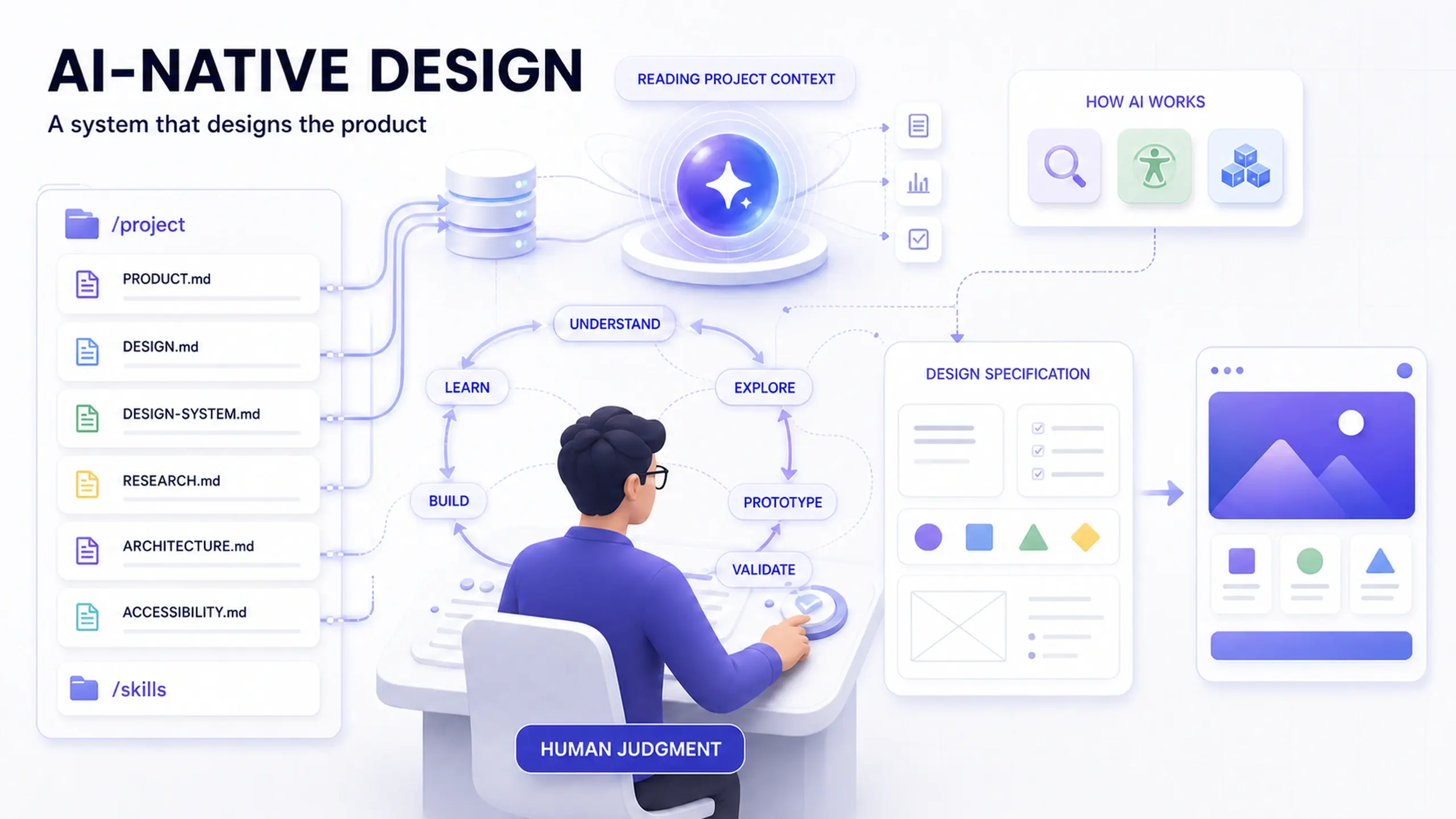
Underneath all of it sits the technical skill set that makes any of this useful rather than just impressive: HTML, CSS, and JavaScript, enough React to read and adjust a component, enough understanding of APIs and data to know what a request is actually doing, and enough Git to commit, branch, and not break someone else's work.
I don't need to be a developer. I need to speak their language well enough that AI-generated output and human review both make sense to me.
Where this approach hits its limits
None of this works everywhere, and it's worth being honest about that.
- AI-generated code still needs engineering review before it ships. A convincing-looking component isn't the same as a secure, performant, maintainable one. Treat AI output as a draft an engineer signs off on, not a shortcut around that review.
- "Just enough" technical skill isn't a substitute for depth you don't have. I can read and adjust code with AI's help. I can't reason about load testing, threat modeling, or database indexing the way an engineer with years in that specialty can, and I don't pretend otherwise.
- This assumes your engineering team is on board. If handing over an AI-assisted prototype instead of a Figma file creates friction rather than saving a cycle, the workflow needs to be agreed on with the team first, not sprung on them mid-project.
- Regulated or high-stakes surfaces need a slower loop. Moving fast on a marketing page is a different risk profile than moving fast on a payments flow or an accessibility-critical form.
Frequently asked questions
Do I need to learn to code to do this?
Won't this just create more work for engineers, cleaning up AI-generated code?
What if my company doesn't want designers touching code at all?
Which tool should I start with, Claude or Claude Code?
The outcome
This system doesn't just make me faster. It changes the shape of what I ship:
- Faster. Ideas get tested in hours instead of sprints.
- Higher quality. Decisions are grounded in how the system actually works, not just how it looks.
- More impact. Less time lost to throwaway drafts and mistranslated handoffs.
The same instinct behind this system, understanding a decision well enough to defend it instead of just shipping it, is worth extending past your own workflow. If your team is layering AI into the design process more broadly, where AI actually earns a place in the Double Diamond is a useful next map to work from. And if reverse engineering and reading product logic is new territory for you, the concepts that outlast any specific AI tool are worth building before the tools themselves change again.
Before you try this
- Pick one feature idea you'd normally wait on a dev cycle to validate, and prototype it yourself instead
- Use AI to reverse engineer a pattern from a product you admire before designing your own version
- Write down the product logic you learn (auth, data model, API shape) somewhere your team can see it, not just in your head
- Agree with your engineering team on how AI-assisted drafts get reviewed before anything reaches production
This post was edited with AI assistance for clarity and formatting.

Sanjay Shrestha
Senior Product Designer · CUA™ Certified
15+ years designing enterprise SaaS, B2B, and government digital products. Currently at Decisions.
Keep Reading